
Dark mode has become one of the most popular features in modern mobile applications, and X (Twitter) is no exception. As people spend more time scrolling through social media, a darker interface helps make the experience more comfortable. Dark mode changes the app’s appearance from a bright white background to a dark or black background with light text. This simple change not only looks stylish but also helps users browse tweets for longer periods without discomfort. Because of its clean and modern look, dark mode has quickly become a favorite display option for many users.
Why Dark Mode Is So Popular
One of the main reasons dark mode is trending is because it reduces eye strain. Bright screens can be harsh on the eyes, especially when using your phone in a dark room or at night. With dark mode enabled on X (Twitter), the softer contrast between the dark background and light text makes reading tweets easier and more comfortable. This is particularly useful for users who spend hours browsing their timelines, replying to tweets, or following trending discussions.
Battery Saving Benefits
Another advantage of dark mode is improved battery efficiency. Many smartphones today come with OLED or AMOLED displays where black pixels consume less power than bright ones. When dark mode is activated in apps like X (Twitter), the device can save some battery life while you scroll through tweets. For users who spend a lot of time on social media, this small improvement can help extend the phone’s battery usage throughout the day.
X (Twitter)
X, formerly known as Twitter, is a social networking and microblogging app owned by X Corp.. It enables users to share short posts, photos, and videos, participate in live conversations, and follow global news in real time. Available on Android and iOS, X continues to serve as a major platform for public discourse and media sharing worldwide.
Key facts
- Developer: X Corp.
- Launch name: Twitter (rebranded as X in 2023)
- Platforms: iOS, Android, web
- Category: News / Social media
- Premium tiers: X Premium Basic, Premium, and Premium Plus
Features and functionality
X offers real-time posting and engagement tools, letting users follow trending topics, comment, and share multimedia content. It supports long posts, 3-hour videos, and live audio discussions through the “Spaces” feature. Direct Messages enable private communication, while the Grok AI assistant provides summaries and contextual explanations of trending content.
Premium subscriptions
X Premium provides enhanced visibility, a blue verification checkmark, editing capabilities, and reduced ads. Higher-tier subscriptions such as Premium Plus add revenue sharing and exclusive content options for creators, aligning the app with broader content-monetization models.
Privacy and data
According to the App Store listing, X tracks user activity and collects data including location, contact information, browsing history, and usage metrics. Privacy controls are managed through user settings, and X Corp. applies varying data policies based on regional and age factors.
Design and identity
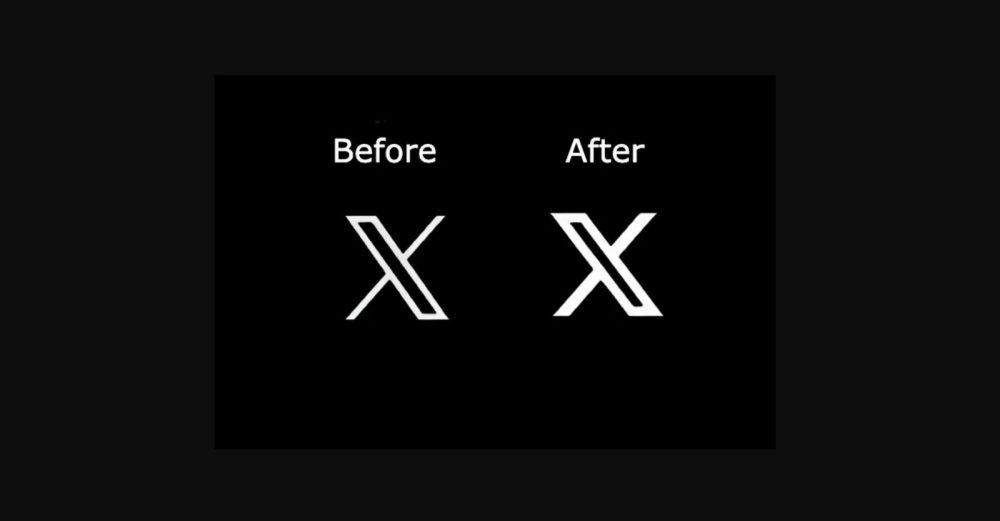
Following its rebranding, X replaced Twitter’s iconic blue-bird logo with a minimalist white “X” on a black background, reflecting the company’s shift toward an all-in-one “everything app” vision under Elon Musk. Despite the visual overhaul, the app retains Twitter’s core functions, blending microblogging with expanded video, chat, and commerce capabilities.
How to Enable Dark Mode on Twitter (X)
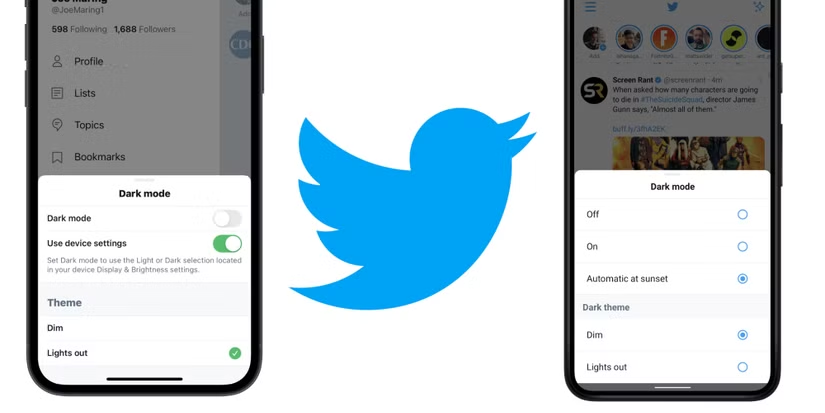
Enabling dark mode on X (Twitter) is simple. In most cases, the app now follows your smartphone’s system settings. If dark mode is turned on in your device’s display settings, the X app will automatically switch to the dark theme. Earlier versions of the app also allowed users to manually enable dark mode from the settings menu, where they could choose between different themes like “Dim” or “Lights Out.” These options provided users with more control over how the app looked.
A Modern and Stylish User Experience
Apart from practical benefits, dark mode also gives X (Twitter) a sleek and modern appearance. Many users prefer the darker interface because it looks more premium compared to the traditional bright theme. The dark background also helps highlight images, videos, and tweets more clearly, making the overall browsing experience more engaging.
Dark mode on X (Twitter) is a simple feature that greatly improves the user experience. It reduces eye strain, can help save battery life, and offers a modern and visually appealing interface. Whether you are checking trending topics during the day or scrolling through tweets late at night, enabling dark mode can make your social media browsing smoother and more comfortable.
FAQs
#TwitterDarkMode #XApp #TwitterTips #DarkMode #SocialMediaTips #Carrerbook #Anslation #TechGuide #MobileAppTips #TwitterFeatures #TechTrends #AppSettings