

Technology has changed the way people work, learn, and communicate. Whether you are a student, freelancer, business owner, content creator, or someone simply trying to improve productivity, the right tools can save time and make everyday tasks easier. At the same time, tutorials help users understand how to use these tools effectively without feeling overwhelmed.
Today, there are thousands of digital tools available online. Some help with writing, some improve organization, while others focus on design, communication, coding, or automation. The challenge is not finding tools anymore. The real challenge is choosing tools that are practical, easy to use, and worth your time.
This guide covers some of the top tools people use today along with simple step-by-step tutorials to help beginners get started quickly. The goal is to provide clear, human-friendly information that feels practical rather than technical.
Why Digital Tools Matter Today
Modern work environments move quickly. People are expected to manage multiple tasks, communicate faster, and stay organized. Digital tools simplify many of these responsibilities.
For example, a writer may use editing software to improve grammar and readability. A designer might use visual editing platforms to create social media graphics. Small business owners often rely on project management tools to organize teams and deadlines.
The right tools can help users:
- Save time on repetitive tasks
- Improve work quality
- Stay organized
- Collaborate with teams
- Learn new skills faster
- Reduce stress and confusion
However, tools alone are not enough. Tutorials are equally important because they teach users how to apply these tools effectively in real-world situations.
1. Canva for Graphic Design
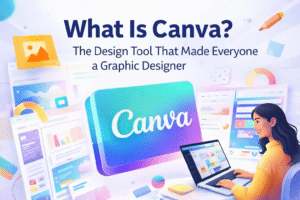

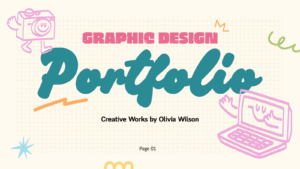

Canva has become one of the most popular design tools because it allows beginners to create professional-looking graphics without advanced design knowledge.
People use Canva for:
- Social media posts
- Presentations
- Business cards
- YouTube thumbnails
- Posters
- Resumes
- Marketing materials
Step-by-Step Tutorial for Canva
Step 1: Create an Account
Visit Canva’s website and sign up using your email address or Google account.
Step 2: Choose a Design Type
After logging in, search for the type of design you want to create. For example, you can select “Instagram Post” or “Presentation.”
Step 3: Pick a Template
Canva offers thousands of ready-made templates. Select one that matches your style or project needs.
Step 4: Customize the Design
Edit text, colors, fonts, and images. Drag-and-drop features make customization easy even for beginners.
Step 5: Download the Final Design
Once complete, click the download button and choose your preferred file format such as PNG or PDF.
Canva is ideal for people who want quick results without spending months learning professional software.
2. Notion for Productivity and Organization
Notion is a flexible productivity tool used for note-taking, planning, project management, and team collaboration.
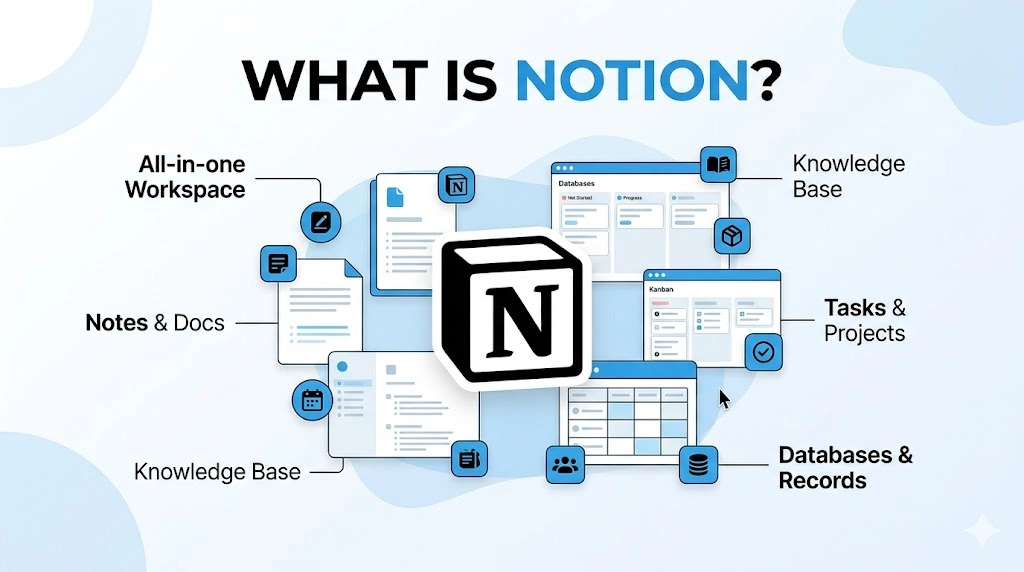
Many users appreciate Notion because it combines several tools into one platform.
What You Can Use Notion For
- Daily planning
- Task management
- Journaling
- Team collaboration
- Study notes
- Content planning
- Goal tracking
Step-by-Step Tutorial for Notion
Step 1: Sign Up
Create a free account on Notion.
Step 2: Create a Workspace
After logging in, create your personal workspace where all pages and projects will be stored.
Step 3: Add a New Page
Click “New Page” and give it a title such as “Daily Tasks” or “Project Planner.”
Step 4: Use Blocks
Notion works using blocks. You can add text, checklists, images, tables, calendars, and more.
Step 5: Organize Information
Create categories and sections to keep everything clean and structured.
Notion is especially useful for students, freelancers, and remote teams looking to stay organized in one place.
3. Grammarly for Better
Writing clearly is important in emails, blog posts, reports, and social media content. Grammarly helps users improve grammar, spelling, punctuation, and sentence clarity.
It acts like a personal writing assistant.
Step-by-Step Tutorial for Grammarly
Step 1: Install Grammarly
Create an account and install the browser extension or desktop app.
Step 2: Start Writing
Open Grammarly and begin typing or paste your text into the editor.
Step 3: Review Suggestions
Grammarly highlights grammar mistakes and suggests corrections.
Step 4: Improve Readability
The tool also provides suggestions to make writing clearer and easier to read.
Step 5: Final Review
Check all edits before copying or publishing your content.
Grammarly is widely used by students, bloggers, professionals, and business owners who want polished writing without hiring an editor.
4. Trello for Project Management
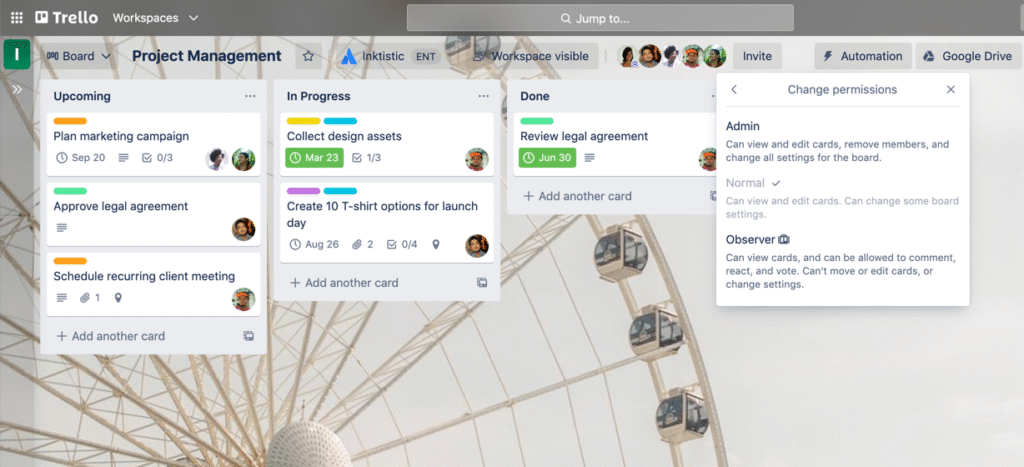
Trello is a visual project management tool that helps individuals and teams organize tasks efficiently.
Its simple board system makes project tracking easy even for beginners.
Common Uses of Trello
- Team projects
- Content calendars
- Personal task management
- Business workflow tracking
- Event planning
Step-by-Step Tutorial for Trello
Step 1: Create an Account
Sign up for Trello using your email address.
Step 2: Create a Board
Boards represent projects. For example, you might create a board called “Website Launch.”
Step 3: Add Lists
Lists help organize stages such as “To Do,” “In Progress,” and “Completed.”
Step 4: Add Cards
Cards represent individual tasks. Add deadlines, descriptions, and attachments if needed.
Step 5: Track Progress
Move cards between lists as tasks progress.
Trello works well for both personal and professional organization because of its simple interface.
5. ChatGPT for Research and Content Assistance

Artificial intelligence tools are becoming increasingly popular. ChatGPT is widely used for brainstorming, writing assistance, research support, and learning.
While AI should not replace human creativity entirely, it can help speed up certain tasks.
Step-by-Step Tutorial for ChatGPT
Step 1: Create an Account
Sign up and access the platform through a browser or app.
Step 2: Enter a Clear Prompt
Ask specific questions such as:
- “Write a blog outline about fitness”
- “Explain SEO in simple words”
- “Generate business name ideas”
Step 3: Review the Response
Read the output carefully and edit where necessary.
Step 4: Personalize the Content
Always add your own thoughts, examples, and human perspective.
Step 5: Verify Important Information
Double-check facts before publishing or using professional content.
AI tools work best when combined with human creativity and critical thinking.
Choosing the Right Tools for Your Needs
Not every tool works for every person. The best approach is to focus on your goals first.
Ask yourself:
- What problem am I trying to solve?
- Do I need a simple or advanced tool?
- Will this tool save time?
- Is it beginner-friendly?
- Does it fit my budget?
Many people make the mistake of downloading too many tools at once. This often creates confusion and reduces productivity instead of improving it.
Start with one or two tools that solve your biggest problems. Learn them properly before moving on to additional platforms.
The Importance of Tutorials
Tutorials help bridge the gap between confusion and confidence. A good tutorial should explain processes clearly without unnecessary technical language.
The best tutorials usually include:
- Clear instructions
- Real examples
- Visual guidance
- Simple explanations
- Practical outcomes
Learning slowly and consistently is more effective than rushing through advanced lessons.