
There was a time when Education & Learning mostly meant sitting with a textbook, making notes in a notebook, and asking a teacher whenever something was confusing. Those things are still useful, of course, but now we have another option: learning software.
A phone, tablet, or laptop can give students access to lessons, practice questions, notes, videos, language exercises, digital classrooms, and even tools that help organise assignments.
I have found that the useful part is not having hundreds of educational apps installed. That usually makes things more confusing. The real benefit comes from finding a few tools that actually fit the way you study.
For one student, that might mean a simple note-taking app. Another person may learn better through videos or interactive quizzes. Someone preparing for an exam might need practice tests and progress tracking instead.
So, rather than asking which Education & Learning software is the most popular, it makes more sense to ask: Which tool will make learning easier for me?
What Is Education and Learning Software?

Education and learning software refers to digital applications and platforms created to support teaching or learning.
These tools can be used by school students, college students, teachers, professionals, and people who simply want to learn something new.
Depending on the software, you might find features such as:
- Online lessons
- Video classes
- Digital notes
- Practice quizzes
- Flashcards
- Assignment management
- Language learning
- Online classrooms
- Progress tracking
- Interactive exercises
- Educational games
Some Education & Learning platforms focus on one subject, while others cover a much wider range of topics.
The important thing is that Education & Learning software is not supposed to replace learning itself. It is simply another way of accessing information, practising skills, and organising your study routine.
Why Use Education & Learning Software?

The biggest advantage is convenience.
You do not always need to wait until you reach a classroom or coaching centre to study something. If you have an internet connection and a suitable device, many learning resources are available whenever you need them.
There are a few other reasons students and learners use these tools.
Learn at Your Own Pace
A classroom usually moves according to a fixed schedule.
With online learning software, you can sometimes pause a lesson, replay an explanation, or spend extra time on a difficult topic.
That can be particularly helpful when one chapter takes longer to understand than another.
Make Education & Learning More Interactive
Reading ten pages of notes is not always the easiest way to learn.
Quizzes, videos, exercises, diagrams, and interactive lessons can make some topics easier to understand.
Of course, interactive does not automatically mean better. It still depends on the subject and the learner.
Keep Study Material in One Place
I know how quickly study material can become messy.
One notebook has important notes. A screenshot is sitting in the phone gallery. A PDF is somewhere in the downloads folder, and then you spend ten minutes looking for the file you actually need.
Digital learning tools can help organise these materials.
Practise More Often
Learning something once does not necessarily mean you remember it.
Practice questions, flashcards, quizzes, and revision tools can help you revisit topics instead of reading them only once.
Popular Education and Learning Software
There are many learning platforms available, and each one has a slightly different purpose. Here are some well-known options worth exploring.
Google Classroom
Google Classroom is designed mainly for schools, colleges, and educational organisations.
Teachers can use it to share assignments, announcements, class materials, and other information with students.
For students, having assignments and class resources organised in one digital classroom can be easier than keeping track of several different messages.
It can be particularly useful when a class already relies on Google services for documents and other study materials.
Microsoft Teams for Education & Learning
Microsoft Teams is not only used in offices. It also has features designed for Education & Learning.
Teachers and students can use Teams for communication, online classes, assignments, files, and collaboration.
One useful part is having conversations and learning materials connected to the same digital environment. Instead of checking one platform for a class announcement and another for the related file, everything can be organised within the classroom setup.
Moodle
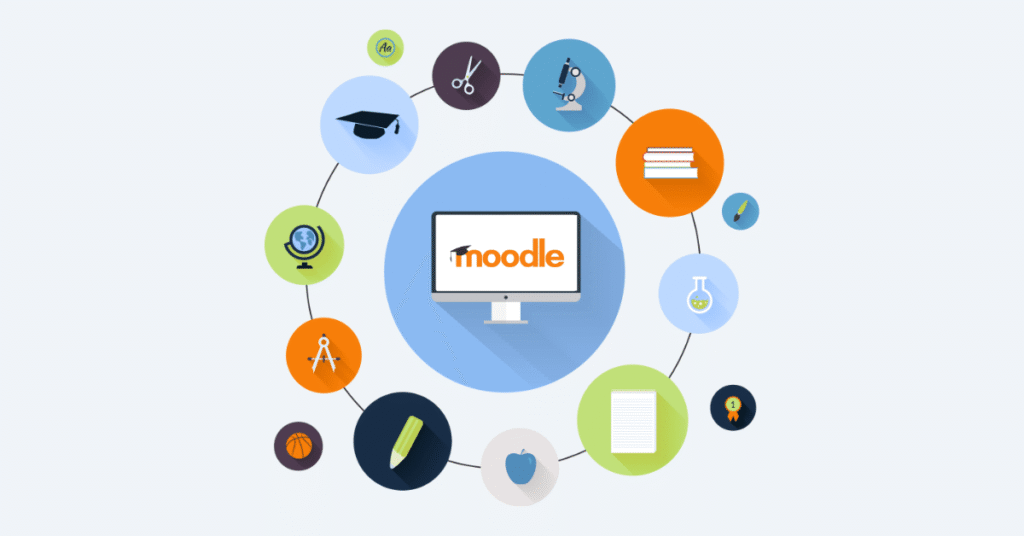
Moodle is a learning management system used by educational institutions and organisations.
It can support online courses, assignments, quizzes, discussion forums, grades, and Education & Learning resources.
One thing worth knowing about Moodle is that it is often customised by the organisation using it. That means two Moodle-based learning environments may look quite different from each other.
For students, it is usually the institution’s setup that matters more than the software name itself.
Coursera
Coursera provides online courses covering a wide range of subjects.
Learners can find courses related to areas such as technology, business, data, communication, science, and many other fields.
It can be useful when you want to learn something outside your regular college or school curriculum.
For example, a student studying one subject at college might use an online course to learn basic digital marketing, programming, or another skill alongside their main studies.
Khan Academy
Khan Academy is known for free Education & Learning resources across several academic subjects.
Its lessons and practice materials are designed to help learners understand concepts step by step.
This type of platform can be useful when a textbook explanation does not quite make sense and you want to approach the same topic differently.
Sometimes hearing the same concept explained in another way is enough to make it finally click.
Duolingo
Duolingo is focused mainly on language learning.
Its lessons are broken into relatively small activities, which can make it easier to practise regularly rather than trying to study for a long session once a week.
Language learning requires repetition, so short and frequent practice can be useful.
The platform can be a convenient starting point, although serious language learners may eventually need additional practice through reading, writing, listening, and real conversations.
Quizlet
Quizlet is known for digital flashcards and study activities.
Students can create their own study sets or use existing ones, depending on the subject and available resources.
Flashcards can be particularly useful for terminology, definitions, vocabulary, formulas, and facts that need repeated revision.
I would not use flashcards for everything, though. Understanding a concept is different from memorising a definition.
Education & Learning Software for Different Types of Learners


Not everyone learns in the same way.
This is something that is easy to forget when choosing an Education & Learning app.
If You Learn Better Through Videos
Look for platforms that explain concepts through video lessons and demonstrations.
Being able to pause and replay a difficult section can be useful when you need more time.
If You Like Practising Questions
Quiz-based platforms may suit you better.
Practice questions can show you which topics you understand and which ones still need attention.
If You Prefer Writing Notes
A note-taking or document-based application may be more useful.
You can create separate notes for different subjects, add headings, organise important points, and return to them during revision.
If You Like Learning Through Small Sessions
Apps that divide lessons into short activities may fit your routine better.
This can be useful when you have only 15 or 20 minutes available instead of an uninterrupted two-hour study session.
How to Choose the Right Education & Learning Software

This is where I would avoid choosing an app simply because everyone else is using it.
Start with your own study problem.
Identify What You Need Help With
Are you struggling to understand concepts?
Do you need more practice?
Are you forgetting information quickly?
Are you having trouble organising assignments?
Or do you simply want to learn a new skill?
The answer can point you toward a different type of software.
Check Whether the Content Matches Your Level
A beginner may find an advanced course frustrating.
Likewise, someone who already understands the basics may become bored with very introductory lessons.
Before starting, check the course level, syllabus, or description if that information is available.
Look at the Education & Learning Format
Think about how you actually enjoy studying.
Some people can watch a 30-minute lecture without a problem. Others lose concentration after ten minutes and would rather read a short explanation followed by questions.
There is no universal format that works for everyone.
Check Device Compatibility
It sounds obvious, but it is worth checking.
If you mainly study from your phone, make sure the software works comfortably on mobile. If you use a laptop for assignments, check whether the platform supports the tools you need there as well.
Consider Cost
Some Education & Learning platforms are free, while others have paid courses, subscriptions, certificates, or premium features.
Do not assume that paying for an app automatically means you will learn more from it.
A free resource that you actually use consistently can be more useful than an expensive subscription that you stop opening after a week.
How to Use Education & Learning Software More Effectively


Downloading an educational app is easy.
Actually using it regularly is the harder part.
Set a Small Daily Goal
Instead of deciding that you will study for five hours every day, start with something realistic.
You might complete one lesson, revise one topic, or answer ten practice questions.
Small targets are easier to fit into a normal day.
Do Not Only Watch Lessons
Watching a video can create the feeling that you have understood everything.
Then you try to answer a question without looking at the explanation and realise that you remember much less than expected.
After learning something, try to recall it yourself. Write a short summary, solve a question, or explain the idea in your own words.
Take Breaks
More screen time does not automatically mean better learning.
If you have been staring at a screen for a long time, taking a short break can make it easier to return with some attention left.
Combine Digital and Offline Education & Learning
There is no reason to choose only one.
You can watch a digital lesson, make handwritten notes, solve questions on paper, and then use an Education & Learning app for revision.
Using different methods can keep studying from becoming repetitive.
Common Mistakes When Using Education Software

Education & Learning apps are helpful, but they can also become distractions.
One common mistake is downloading too many Education & Learning platforms.
You start one course, save another, bookmark five videos, download a flashcard app, and suddenly spend more time organising your learning than actually Education & Learning.
Another mistake is constantly switching Education & Learning courses.
If you keep starting new material without finishing anything, progress becomes difficult to measure.
There is also the temptation to rely completely on summaries and short explanations. These can be useful for revision, but difficult subjects often require deeper study.
And finally, do not confuse completing lessons with mastering a subject.
Finishing a course is one thing. Being able to explain and use what you learned is another.
Benefits and Limitations of Education & Learning Software
Education & Learning software can make learning more convenient, but it is not perfect.
Benefits

- Easy access to learning material
- Flexible study schedules
- Interactive exercises
- Quick revision
- Digital organisation
- Practice opportunities
- Access to courses beyond traditional classrooms
Limitations
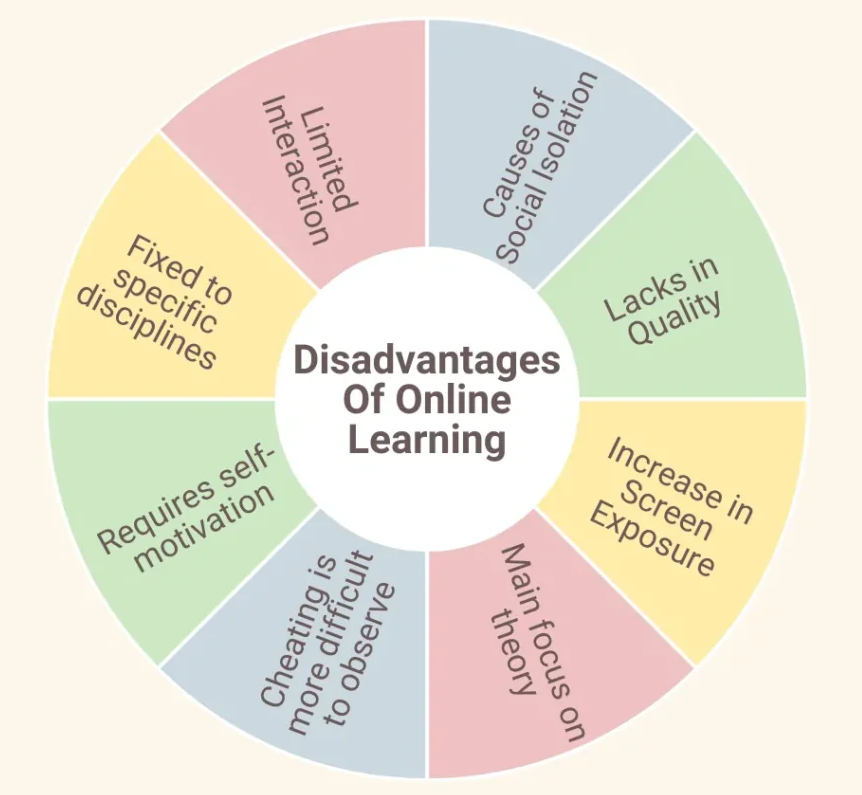
- Too much screen time can become tiring
- Some useful features may require payment
- Internet access may be necessary
- Not every platform explains topics equally well
- Learners may become distracted
- Digital tools cannot replace consistent effort
The last point is probably the most important.
An excellent learning platform cannot do the studying for you.
Final Thoughts
Education and learning software can be genuinely useful when you choose it for a reason rather than simply downloading whatever happens to be popular.
Google Classroom and Microsoft Teams can help organise classroom communication and assignments, while Moodle is commonly used as a learning management system. Platforms such as Coursera and Khan Academy provide access to online learning, while tools such as Quizlet and Duolingo focus on specific ways of practising , Education & Learning.
But the software itself is only one part of the process.
What matters more is whether you understand the material, practise it regularly, and return to difficult topics instead of avoiding them.
If you are choosing a Education & Learning tool today, start small. Pick one platform that solves a real problem in your study routine. Use it consistently for a while before adding another one.
Sometimes the simplest study setup is the one you actually stick with.