
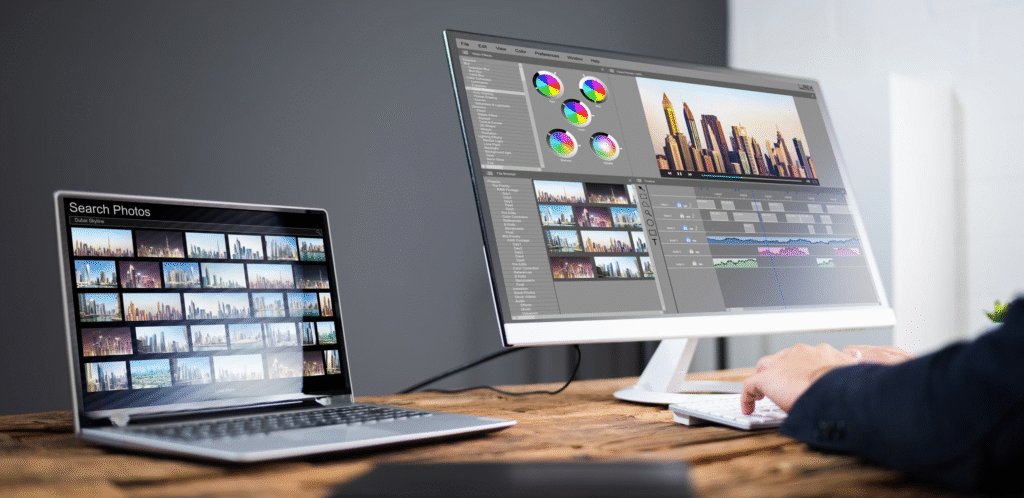
When I first started Photo Editing, I thought good editing required a lot of experience. I would see beautifully edited pictures online and assume that people were using complicated software that would take me weeks to understand. Even basic things like adjusting brightness, removing something from the background, or making a picture look cleaner felt confusing at first.
After trying different editing apps and tools, I realised that photo editing does not always have to be complicated. A beginner can do quite a lot with the right app. The important part is finding a tool that feels comfortable to use and has the features you actually need.
Today, there are photo editing tools for almost every type of user. Some are made for quick edits on a phone, while others offer more advanced controls for creators, photographers, and designers. You do not necessarily need the most powerful software when you are just starting out.
If you are looking for the best photo editing tools for beginners and creators, this guide can help you understand what each type of tool is useful for and how to choose one without making the process unnecessarily complicated.
What Makes a Good Photo Editing Tool?
Before choosing an editing app, I think it helps to look beyond the number of features it offers. An app can have hundreds of tools, but that does not mean it will be comfortable for a beginner.
A good photo editor should make basic tasks easy to understand. Adjusting brightness, contrast, colour, sharpness, cropping, and exposure should not feel like solving a technical problem.
I would also look at how quickly the app responds. If I have to wait every time I make a small adjustment, editing becomes frustrating.
For creators, other features may matter more. Templates, background removal, text tools, layers, filters, AI features, and social-media-friendly sizes can save a lot of time.
The right choice really depends on what you want to create.
1. Canva
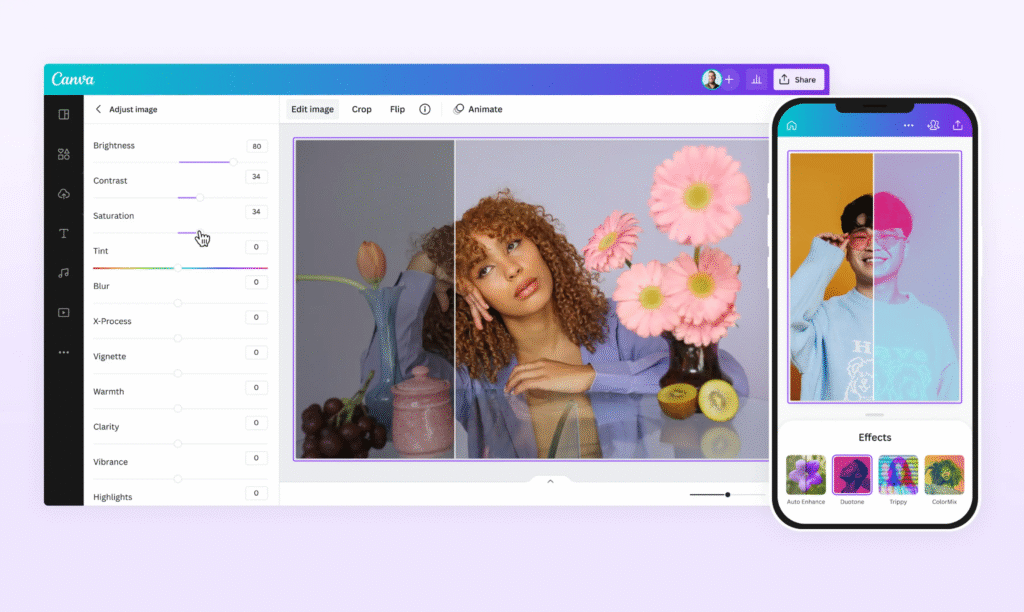
Canva is one of the first tools I would suggest to someone who is new to editing. It is especially useful when photo editing is only one part of the project.
For example, you might want to edit a photo and then use it in an Instagram post, YouTube thumbnail, presentation, poster, or blog graphic. Instead of moving between several applications, you can do much of the work in one place.
The interface is relatively easy to understand, and the drag-and-drop style makes it less intimidating for beginners.
I also find this type of editor useful when I do not want to start a design completely from scratch. Templates can give you a starting point, and you can change the images, text, colours, and layout according to your needs.
What Canva Is Useful For
- Social media posts
- Instagram stories
- YouTube thumbnails
- Blog graphics
- Posters and invitations
- Simple photo adjustments
- Background removal
- Adding text and design elements
It is not only a photo editor. It is more useful to think of it as a design platform that also gives you photo editing features.
2. Adobe Photoshop
Photoshop is a much more advanced option. When I first looked at professional editing software, Photoshop seemed overwhelming because there were so many panels, tools, menus, and settings.
However, once you learn the basic tools, it becomes much easier to understand.
Photoshop is useful when you need detailed control over an image. You can work with layers, masks, selections, colour adjustments, retouching tools, and many other features.
A beginner does not need to learn everything at once. Starting with cropping, resizing, layers, basic adjustments, and simple selections can be enough for the first few projects.
What Photoshop Is Useful For
- Detailed photo editing
- Professional retouching
- Background editing
- Layer-based designs
- Colour correction
- Object removal
- Creative compositions
- Graphic design
For creators who want to eventually move into professional image editing, learning Photoshop can be worthwhile. It does have a learning curve, though, so I would not expect to understand everything in the first few days.
3. Adobe Lightroom
Lightroom is particularly useful when you want to improve the overall appearance of photographs rather than create complicated graphic designs.
It can be useful for adjusting exposure, colours, contrast, highlights, shadows, and other aspects of a photo.
One thing I like about this type of editing is that small adjustments can make a surprisingly noticeable difference. A photo does not always need a dramatic filter. Sometimes correcting the lighting and colour is enough.
Lightroom is also useful for photographers and creators who work with many images and want to maintain a consistent editing style.
Lightroom Can Help With
- Exposure adjustments
- Colour correction
- Contrast
- Highlights and shadows
- Presets
- Photo organisation
- Batch editing
If your main goal is to make photographs look more polished while keeping them relatively natural, Lightroom is worth exploring.
4. Snapseed
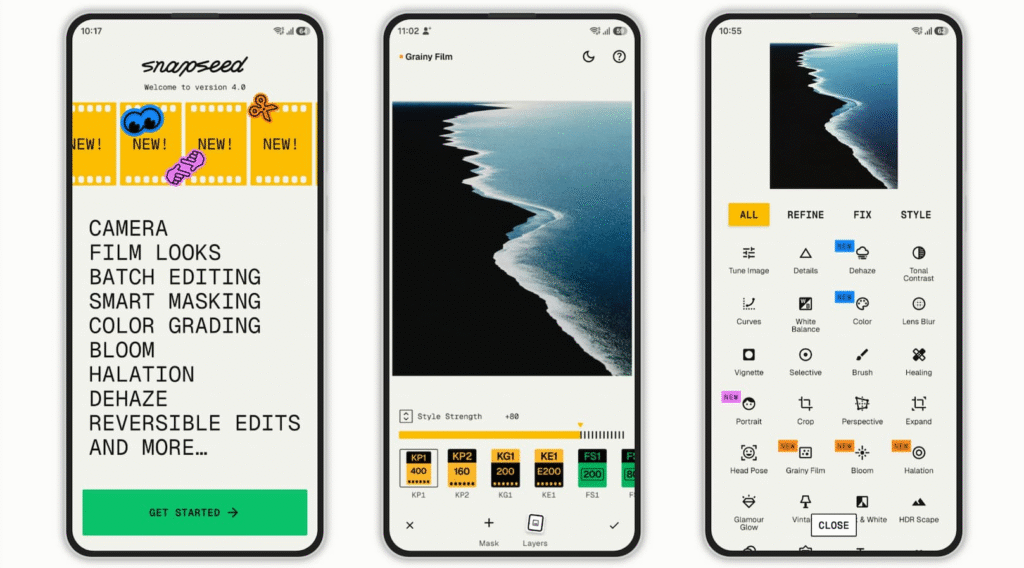
For phone editing, Snapseed is a useful option for beginners who want more control without sitting at a computer.
The app provides tools for adjusting brightness, contrast, saturation, details, curves, cropping, and other parts of an image.
What makes a mobile editor useful to me is convenience. If I take a photo on my phone and want to improve it before posting it, I do not want to transfer the image to a computer just to make a few changes.
Snapseed can be useful for exactly that kind of situation.
Good Uses for Snapseed
- Quick mobile editing
- Brightness and colour adjustments
- Cropping
- Sharpening
- Selective adjustments
- Portrait improvements
- Everyday social media photos
It is a good place to start if you want to learn how different editing controls affect a photograph.
5. Pixlr
Pixlr is another option for people who want a relatively straightforward editing experience.
It can be useful for quick image adjustments, filters, overlays, cropping, and simple creative edits. Because it can be accessed online, it can also be convenient when you do not want to install heavy editing software.
For beginners, having a browser-based option can remove some of the pressure of learning complicated desktop software.
I would consider Pixlr when I need to make a quick edit and do not want to spend a lot of time setting up a project.
6. Fotor
Fotor is designed around making photo editing more accessible. It includes basic editing features as well as creative effects and other tools.
It can be useful for someone who wants to experiment with photographs without learning a professional application immediately.
Some creators may also find its templates and enhancement tools useful when preparing content for social media.
The main thing I would suggest is not to apply every effect just because it is available. A photo can quickly start looking unnatural if too many filters are used at once.
7. Picsart
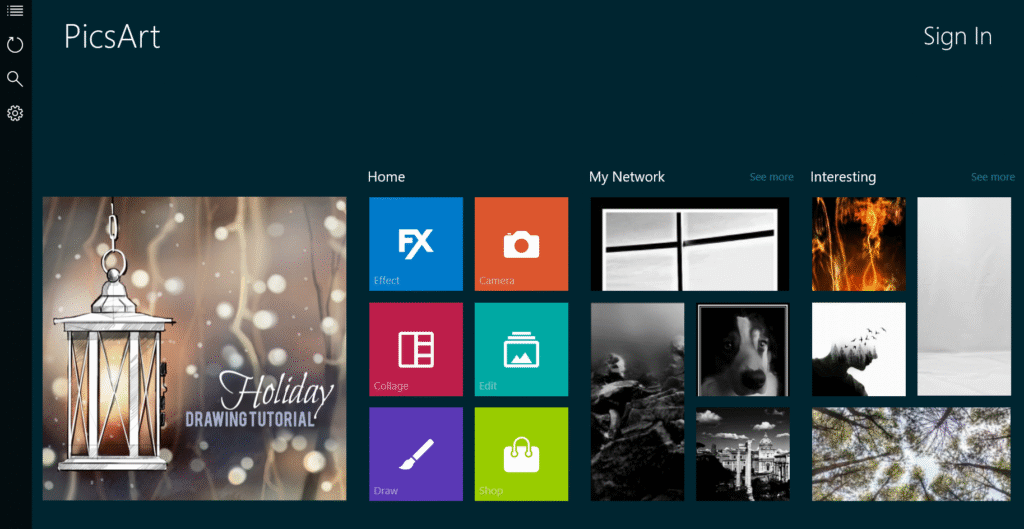
Picsart is popular among people who enjoy more creative and playful editing.
It can be useful when you want to combine photographs, add text, use stickers, remove backgrounds, create collages, or experiment with different visual effects.
For social media creators, these features can make it easier to create images that are more than simple photographs.
I would use this type of editor when the goal is creativity rather than keeping the photograph completely realistic.
Picsart Can Be Useful For
- Collages
- Creative edits
- Stickers and text
- Background changes
- Social media graphics
- Artistic effects
- Quick mobile projects
8. Photopea
Photopea is an interesting option for beginners who want to learn more advanced editing without immediately installing professional software.
Its interface is closer to the kind of workspace you might see in professional image editors. It supports layers and other advanced editing concepts.
For someone learning Photoshop-style editing, it can be a useful place to practise.
The interface may look slightly more complicated than simple mobile apps, but that is not necessarily a bad thing. Learning how layers and selections work can make it easier to move toward more advanced editing later.
9. VSCO
VSCO is known more for its photo filters and editing style than for complex image manipulation.
It can be useful when you want to give several photographs a similar visual mood. For example, if you are creating a series of travel photographs or lifestyle posts, using a consistent editing style can make the images feel more connected.
I would not choose it when I need detailed object removal or complicated compositions. It makes more sense for people who mainly want attractive colour adjustments and filters.
10. PhotoRoom
PhotoRoom is particularly useful when the background of an image is important.
For example, small businesses and online sellers often need clean product images. Removing the original background and placing the product on a simple background can make the image much easier to use.
Creators can also use background removal for social media graphics and other projects.
This is one of those tools where a feature that sounds simple can save quite a lot of time when you need it regularly.
How I Would Choose a Photo Editing Tool
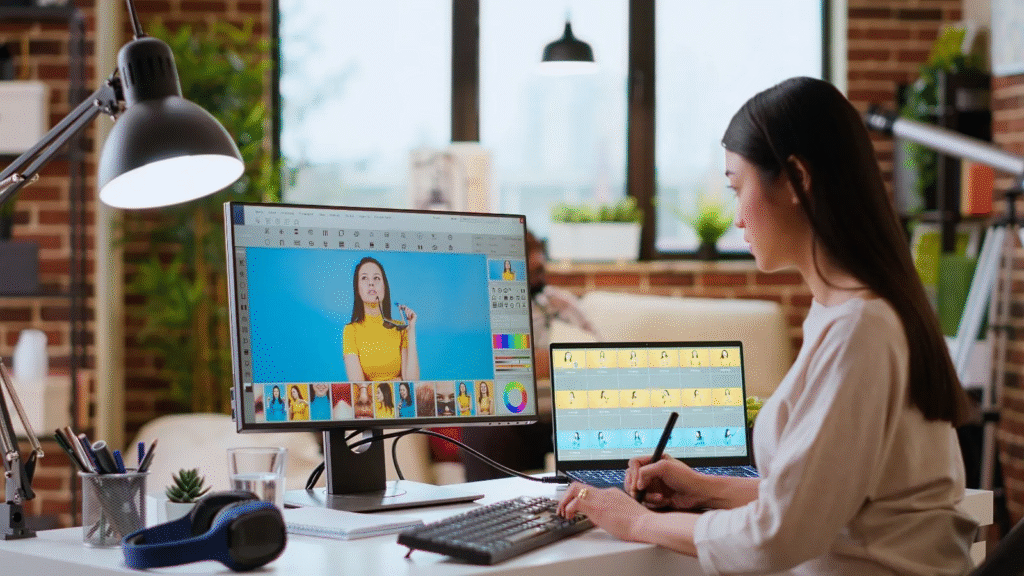
If I were starting again, I would not download ten editing apps and try to learn all of them at once. That would probably make the process more confusing.
I would first decide what kind of editing I actually need.
If You Are a Complete Beginner
Start with an editor that has a simple interface and basic adjustments.
You do not need advanced layers, masks, or professional colour grading on your first day. Learn cropping, brightness, contrast, saturation, and sharpness first.
Once these controls become familiar, moving to more advanced features becomes much easier.
If You Create Social Media Content
Look for tools that combine photo editing with design features.
Templates, text, background removal, resizing, and social media formats can save time when you are regularly creating posts.
A tool such as Canva or Picsart may make more sense for this type of work than a purely photography-focused editor.
If You Are Interested in Photography
A photography-focused editor can be more useful.
Tools such as Lightroom can help you understand exposure, colour, highlights, shadows, and other parts of photographic editing.
The more photographs you edit, the more you start noticing how small changes affect the final image.
If You Want Professional Photo Editing Skills
You may eventually want to learn Photoshop or another advanced editor.
Do not worry if the software feels complicated in the beginning. Professional tools are usually designed to provide more control, so there are naturally more things to learn.
Start with a few tools and gradually expand your knowledge.
Photo Editing Mistakes I Would Avoid
One mistake I see often is using too much editing.
When you discover a new filter or effect, it can be tempting to keep increasing the intensity. I have found that this can make an image look less natural instead of improving it.
Another mistake is changing too many things at once. If the brightness, contrast, saturation, sharpness, and colour temperature are all changed dramatically, it becomes difficult to understand what actually improved the photo.
I would also avoid editing every photograph in exactly the same way. Different lighting conditions require different adjustments.
A bright outdoor photograph may need very little editing, while a darker indoor photograph might need more work.
And before saving the final image, always look at the original again. Sometimes an edit looks impressive while you are working on it but feels excessive when you compare it with the original.
Tips for Getting Better at Photo Editing
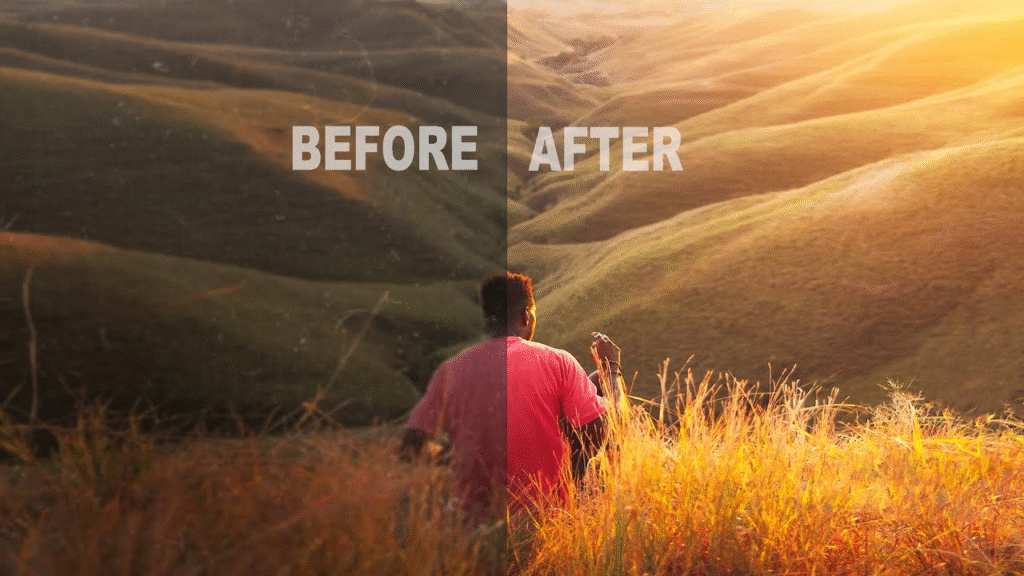
The easiest way to improve is to practise.
Take an ordinary photograph and make several versions of it. Try one with brighter exposure, another with stronger contrast, and another with softer colours.
Then compare them.
This helps you understand what each adjustment actually does instead of simply copying settings from someone else.
I would also recommend keeping the original photograph untouched. Create a copy before editing so that you can always go back if something goes wrong.
Another useful habit is to edit slowly. You do not have to change every setting. Sometimes moving one slider slightly can be enough.
And do not be afraid of making mistakes. Editing becomes much easier once you stop expecting every first attempt to look perfect.
Frequently Asked Questions
1. What is the best photo editing tool for beginners?
There is no single tool that works for everyone. Canva and Snapseed can be good starting points for beginners because they are relatively easy to understand and offer useful basic editing features.
2. Which photo editing tool is best for professional editing?
Adobe Photoshop is a popular choice for detailed and professional image editing. It offers advanced tools such as layers, masks, selections, retouching, and colour adjustments, although it takes some time to learn.
3. Can I edit photos on my phone?
Yes. Many photo editing tools work well on smartphones. Apps such as Snapseed, Picsart, and VSCO can be useful for making quick adjustments, applying filters, and creating social media content.
4. Are free photo editing tools good enough for beginners?
Yes. Free tools can be more than enough when you are learning. Basic adjustments such as cropping, brightness, contrast, colour correction, and resizing do not always require a paid subscription.
5. How can I improve my photo editing skills?
The best way is to practise regularly. Try editing the same photograph in different ways and compare the results. Keeping the original image and making a copy before editing also makes it easier to experiment without worrying about losing the original.

How to Get a Personal Loan in India
few years ago, I found myself in a position where I needed a significant amount…

Profitable Business Ideas for Students to Earn Money in 2026
I still remember sitting on my twin-sized college bed during my second semester, opening my…
How to Invest in Fixed Deposits in 2026
When I first started earning and saving money, the investment world felt completely overwhelming to…

The Best Stock Market Investment Tips for Beginners in 2026
When I first stepped into the stock market back in 2021, I was convinced I’d…
The Best Apps for Exam Preparation in India
When I first started preparing for competitive exams in India, my study table was a…

How to Start an E-commerce Business in India in 2026
When I took the plunge into online selling in India back in early 2024, my…